
how to enter
How to enter the Onboard Awards 2027
Entering the Onboard Awards 2027 is easier than ever, with one simple form for all your submissions. Follow our step-by-step guide to completing your entries, writing a winning product description and meeting the key deadlines for December 2026.
Your step-by-step guide to submitting a winning entry
Entering the Onboard Awards 2027 is easier than ever. This year, there is just one form to complete, allowing you to submit all the information needed for your entries in one place.
The deadline for entries is December 1 2026. Once you have submitted your entries, our team will be in touch with an invoice, which must be paid by December 31 2026 for your entries to be processed and included in the online voting when it opens in January 2027.
To help you get started, we’ve put together this step-by-step guide, including our top tips for creating a compelling submission that gives your product the best possible chance of impressing the judges.
PREPERATION
Before you begin: Get prepared
We recommend gathering your entry information before opening the form. This will make the process quicker and easier.
You’ll need:
- Contact information: Your name, company details and contact information.
- Company logo: A high-quality PNG or JPEG file.
Entry details: Your chosen categories, product names and descriptions. - Product images: High-resolution images supplied via a downloadable link, such as WeTransfer, Dropbox or Google Drive.
- Onboard information: Details of where your product is currently in use, where applicable.
Good news: you can save your form and return to it later. This means you can work on your entries at your own pace rather than completing everything in one sitting. But we still recommend preparing as much information as possible in advance to make the process easier.
the process
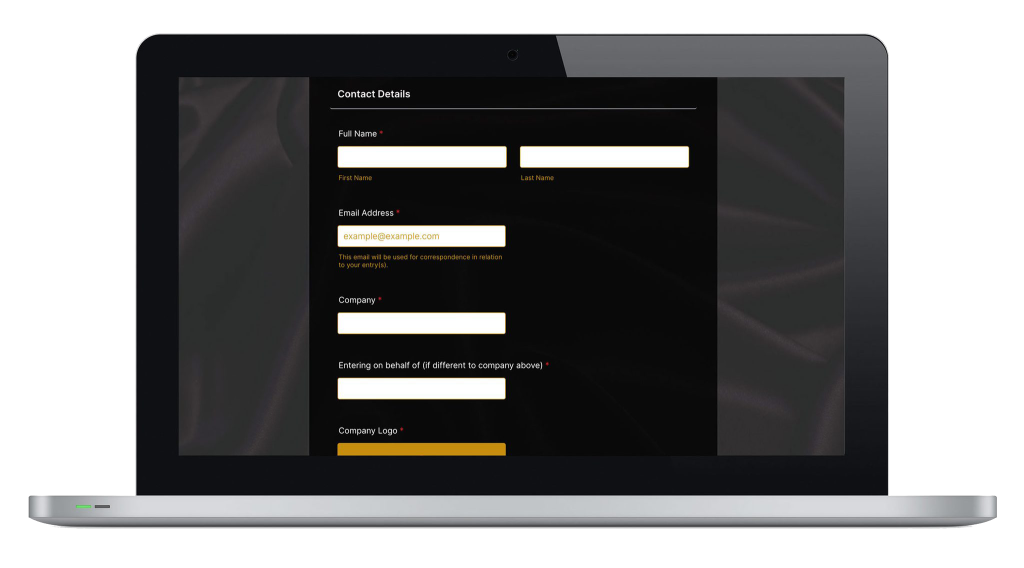
Step 1: Enter your contact information
Start by providing your contact details. These will be used by the Onboard Awards team to contact you about your entries, so make sure everything is accurate and up to date.
You’ll also need to upload your company logo at this stage. Have your logo ready as a PNG or JPEG file before you begin.
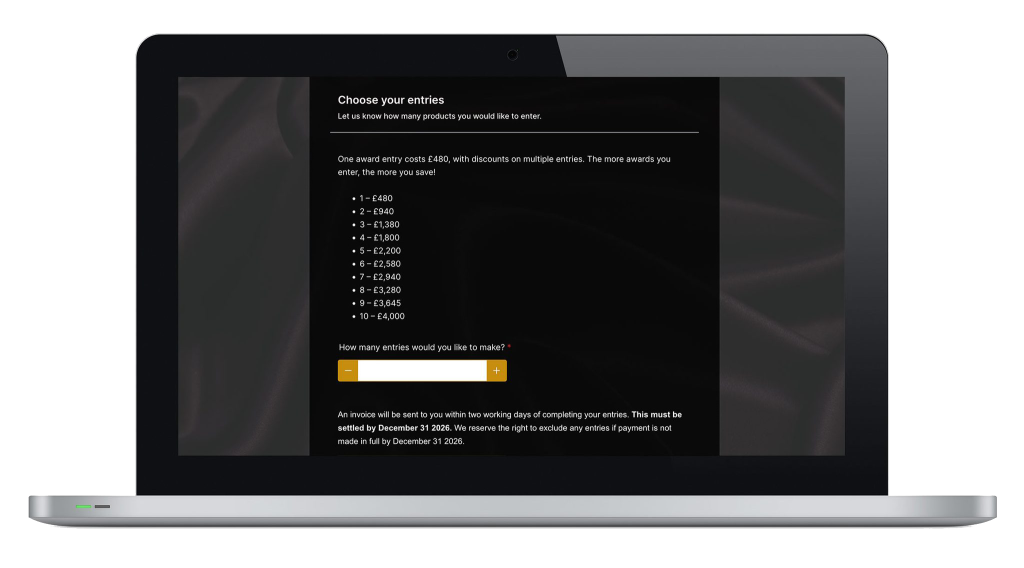
Step 2: Choose how many entries you want to submit
Next, select the number of entries you would like to make.
The form will use your selection to determine how many individual entry pages you’ll need to complete.
You can select up to 10 entries in the form to take advantage of the available series discounts. Planning to enter more than 10 products? Contact Sue, and the team will help arrange this for you.
Tip: If you’re entering several products, you may find it easier prepare the information for each one separately before starting the form to avoid mixing up descriptions, images or category selections.
Step 3: Complete the details for each entry
You’ll now provide the information for each individual product. Take your time with this section: the details you provide will help the judges understand what makes your entry stand out.
For every entry, you’ll need to complete the following:
1. Select your category
Choose the category that best fits your product. Check the category requirements carefully before making your selection to ensure your entry is eligible.
2. Enter your product name
Use the product’s correct name and make sure it is consistent across your description and supporting images.
3. Tell us where your product is onboard
Let us know which airline, rail operator, cruise line or other onboard operator is using your product, where applicable.
To be eligible for most categories, products must be onboard by February 1 2027. Products that will not be onboard by this date are only eligible for the Ones to Watch categories.
4. Upload your product images
Provide a downloadable link to high-resolution images of your product using WeTransfer, Dropbox, Google Drive or a similar service.
Make sure your link works and that the images can be accessed by the awards team without unnecessary restrictions.
Your images may be used to promote your entry across the Onboard Awards and Onboard Hospitality channels, so choose images that show your product at its best.
5. Write your product description
This is arguably the most important part of your entry. Your description is your opportunity to explain to the judges what makes your product special, why it deserves to win and how it delivers value in a real onboard environment.
A strong entry does more than describe what a product is. It explains what makes it different, why it matters and what it delivers for passengers, crew and operators.
The judges need enough detail to assess your product against the judging criteria, so avoid relying on marketing slogans or broad claims alone. Be specific, provide evidence where possible and make it easy for the judges to understand why your product deserves recognition.
To help you further, check out our top tips for a winning product description.
Step 4: Provide your invoice information
Once you have completed the entry pages for all the products you selected, you’ll be asked to provide your invoice information.
After you have completed the form, our team will be in touch with an invoice for your entries.
Please note: your invoice must be paid in full by 31 December 2026. This is essential for your entry to be processed and included in the Onboard Awards online voting when it goes live in January 2027.
Submitting your entry form alone does not complete the process. Make sure payment is arranged before the deadline to ensure your entries can be included.
Step 5: Review your entry before the deadline
Before completing the process, check that:
- You’ve selected the correct category for each product.
- All contact and company details are accurate.
- Your company logo is uploaded.
- Each product has a clear, detailed description.
- Your product images are high-resolution and accessible via the supplied link.
- You’ve explained where each product is onboard, where applicable.
- Your product meets the relevant category’s eligibility requirements.
- You’ve provided the required invoice information.
- You have submitted your entries by December 1 2026 and arranged for your invoice to be paid by December 31 2026.
Remember, products must be onboard by February 1 2027, except for entries in the Ones to Watch categories, which are intended for products not yet onboard.
Enter
Ready to enter?
With one form covering all your entry requirements, submitting to the Onboard Awards 2027 has never been easier.
Prepare your information, choose your categories carefully and use your product description to demonstrate the innovation, quality and real-world impact that make your entry worthy of recognition.
Don’t miss the key dates: submit your entries by December 1 2026 and ensure your invoice is paid by December 31 2026 to be included in the online voting in January 2027.
For full details of the judging criteria and category requirements, visit onboardawards.com.
Good luck with your entries!